Register
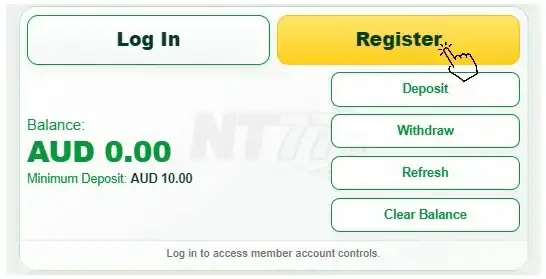
Select the yellow Register button on the NT77 homepage.

VIP member support
Get clear help with your NT77 account, deposits, withdrawals, bonuses, games and responsible gaming controls.
Never share your password, PIN or one-time security code.

NT77 MEMBER GUIDE
Swipe each guide or use the arrows to move through the real screens.
Create your account, verify your mobile number, then sign in.
Select the yellow Register button on the NT77 homepage.
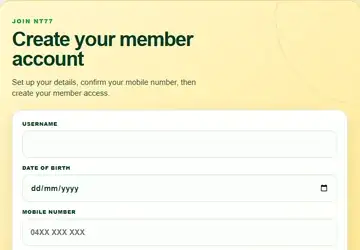
Complete your username, date of birth and mobile number.
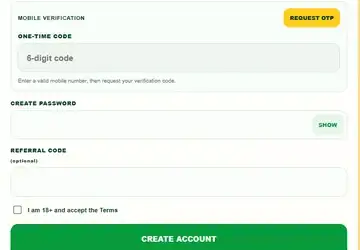
Request the one-time code and enter it to confirm your mobile number.
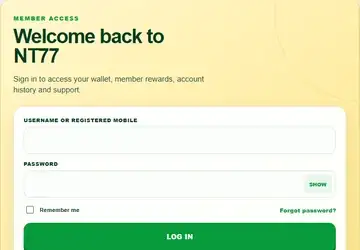
Create the account, then return Home and select Log In.
Only one bonus can be active at a time. Clear credit when your wallet is below $1 to reset the current bonus condition.
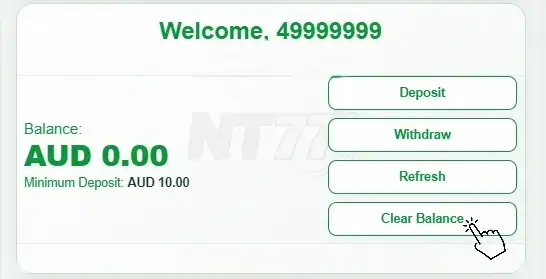
Select Clear Balance only when your available credit is below AUD 1. A new eligible top-up can also reset the current bonus condition where permitted.
Use the current payment details displayed for your request.
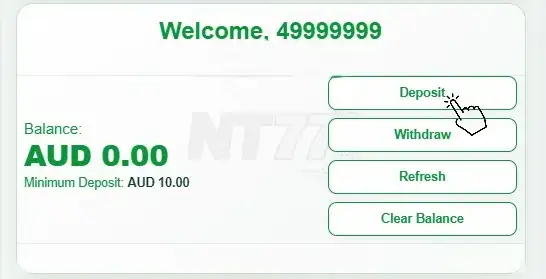
Open your Wallet and select Deposit.
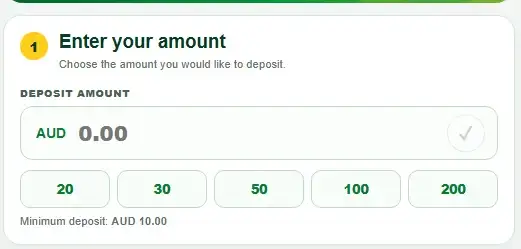
Enter the amount, then select the ✓ to apply it before transferring.
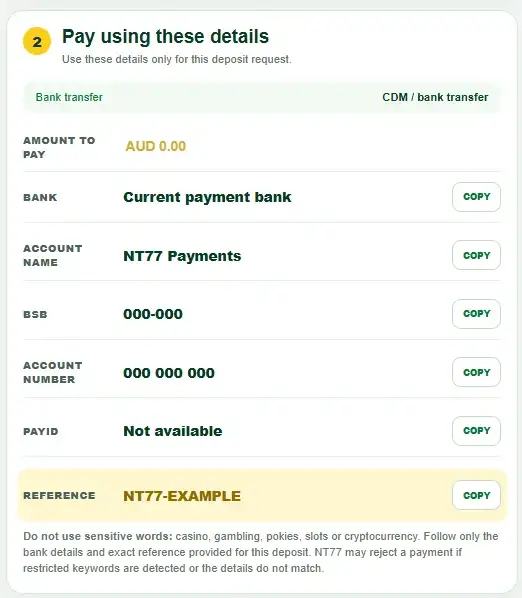
Follow the displayed bank details and exact reference for this transfer only.
Confirm the amount, refresh credit where needed, then choose the destination.
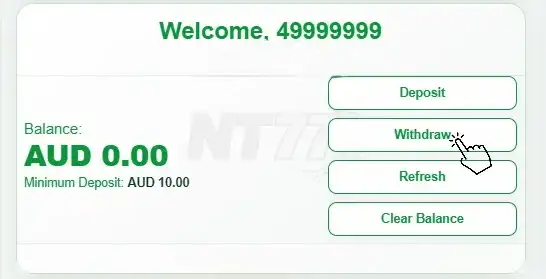
Open your Wallet and select Withdraw.
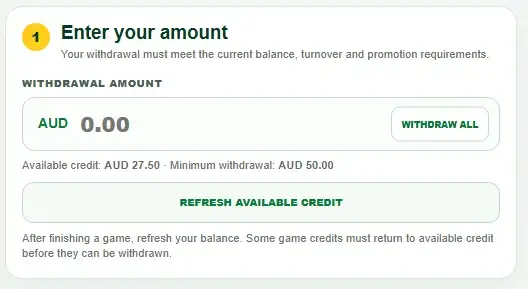
Enter an amount or select Withdraw All. Refresh available credit after games when required.
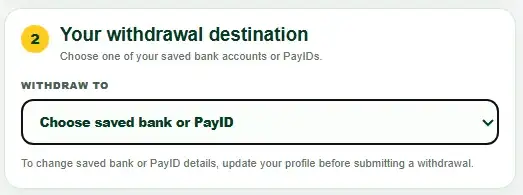
Select your saved bank or PayID, then double-check every detail before submitting.
Share your personal link from the referral rewards banner.

Select Share Now to use an app, or copy the link and paste it to your friends. Only verified accounts count as eligible downlines.
NT77 support guide
Search practical answers for Australian members.
Use the official NT77 registration page, enter accurate personal and contact details, then complete any verification shown. Use one account only and keep your sign-in details private.
Check your username or registered contact details, confirm your password carefully and use the official password-recovery option. If access still fails, start live chat without creating another account.
Choose the password-recovery option on the login screen and follow the verification steps sent through your registered contact method. NT77 Support should never ask you to reveal an existing password.
Verification can help protect the member account, confirm identity and check that payment details belong to the account holder. Follow only the instructions displayed on the official NT77 website or provided through secure support.
Open account settings or ask live chat which details can be updated. Security checks may be required before a registered phone number, bank detail or other important account information is changed.
Check that the payment was completed and matches the amount, bank details and reference shown for that payment. If your balance has not updated, contact Live Chat with the date, time, amount and transaction reference.
Available banking methods can vary by account and are shown in the cashier or wallet at the time of payment. Use a payment account held in your own verified name and review the displayed limits before confirming.
The current minimum and maximum amounts should appear beside each supported payment method in the NT77 cashier. Check those live figures because payment options and limits may change.
Open Transaction History and select Withdraw to view the latest status, date, time and reference number. Use that reference when asking live chat about a pending or settled withdrawal.
Withdrawals can be reviewed for bank details, identity, account security or active promotion conditions. Check the live cashier requirements and use the reference in History when contacting Live Chat.
Matching verified names helps protect account funds and reduces the risk of payments being sent to or received from an unrelated person. Contact support before changing any registered banking information.
Open History from the bottom navigation. Your signed-in account shows available payment records with the date, time, amount, status and reference number where available.
Open the relevant promotion and follow the claim instructions shown. Review the applicable requirements before submitting your claim. If you are unsure about a bonus or its conditions, contact Live Support for clear assistance.
You may use Clear Balance when your available credit is below AUD 1. This can reset the active bonus condition and related turnover. If your credit is AUD 1 or more, or you are unsure whether a bonus is active, contact Live Support before continuing. A new eligible deposit may start a new bonus condition where the live offer permits it.
Turnover is the qualifying play required before promotion-linked funds or winnings become eligible for withdrawal. The calculation, contribution rate and eligible games are defined in each promotion's rules.
Check that you meet the requirements for the selected bonus. Each deposit is eligible for one bonus claim only. After a bonus has been claimed, eligibility resets only after a new deposit or withdrawal is completed, subject to the promotion terms.
Some promotions cannot be combined. Check the individual bonus rules before claiming another offer, because an existing bonus or unfinished turnover may affect eligibility.
Not always. Pokies, live casino, sports, fish and other game categories may have different contribution rates or exclusions. The relevant promotion page should identify which games count.
Use the game search and category menu to browse Event, Pokies, Live, Apps, Fish, Sports and Other providers. Supplier availability can change, so the current game lobby is the live source.
Check your connection, close and reopen the game, then refresh the page. If the problem continues, tell support the game name, supplier, device, browser or app version and any visible error.
NT77 is designed for mobile access through a supported browser or official app pathway. Keep your browser and operating system updated, and use only download links published on the official website.
Live dealer video depends on connection stability, device performance and the supplier stream. Close other high-bandwidth activity, reconnect the table and contact support if the delay continues.
Select Support in the footer, then choose Start Live Chat. Describe the issue clearly and include relevant payment details or a transaction reference when applicable. Never share your password, PIN or one-time security code.
Start from the official NT77 website and its published support links. Be cautious of unsolicited messages, lookalike domains and anyone requesting passwords, one-time codes or payment outside the approved cashier.
Account security combines controlled sign-in, verification and secure website connections. Members should use a unique password, protect their device and report unfamiliar account activity immediately.
You can ask support about available deposit or spending limits, time-outs, account breaks and self-exclusion. Choose the control that fits your circumstances and seek independent help if gambling is causing harm.
No matching help question found. Try a shorter search or start live chat.
MORE FAQs